FDS Drive Belt Replacement vs Full Drive Swap: Which to Choose
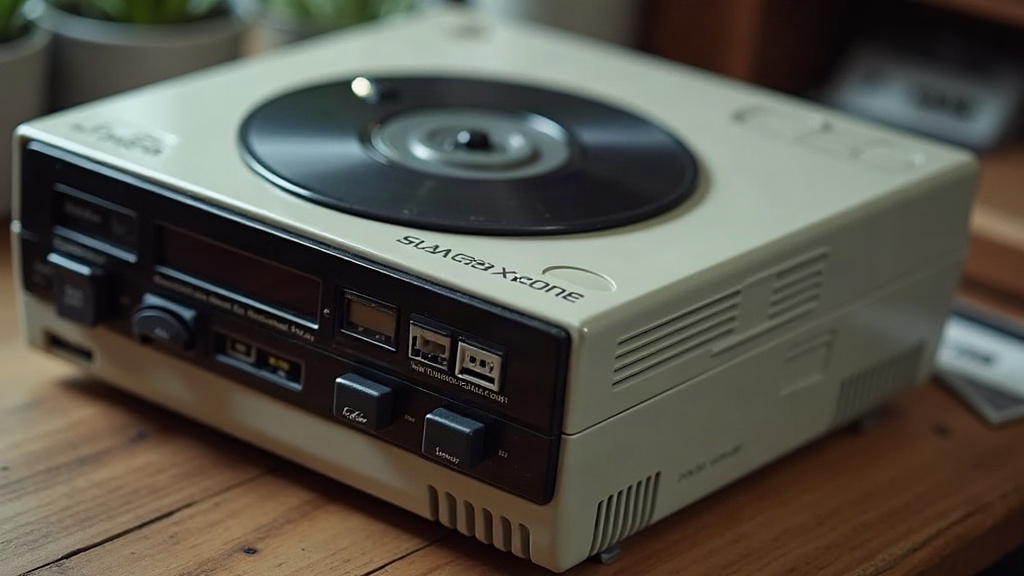
If your Famicom Disk System won’t read disks, grinds, or spins like it’s got a bad knee, nine times out of ten the rubber drive belt is to blame. And that leaves every first-time restorer staring at the same fork in the road: replace just the belt, or swap out the whole drive mechanism? Here’s the short version: fix the belt first. It’s cheap, it’s low-risk, and it clears up almost every FDS complaint you’ll run into. Only reach for a full drive swap if the belt doesn’t fix things, or the mechanism itself is visibly trashed.
Why the Belt Fails First
The FDS relies on a rubber belt to keep the disk spinning at a steady speed. Give it 35-plus years and that belt will almost always do one of three things:
- Stretch out and go slack, so the disk spins slow or unevenly
- Turn gummy and sticky, smearing residue all over the inside of the housing
- Snap clean in half, leaving the disk sitting dead still when you pop in a game
This is, hands down, the most common failure point in any FDS unit. It happens way more often than motor failure, worn heads, or a flaky RF board.
Option 1: Belt Replacement
What it involves:
- Popping open the drive shell (a handful of screws, nothing exotic)
- Pulling out the old, crusty belt and wiping down gummy residue with isopropyl alcohol
- Fitting a new reproduction belt (retro parts sellers stock these for $3 to $8)
- Putting it back together and testing with a disk you know is good
Pros:
- Cheap. You’re usually under $10 total.
- Fast. Once the shell’s open, most people wrap this up in 20 to 30 minutes.
- Reversible, low-risk. You’re not poking around delicate electronics.
- Clears up 80 to 90% of “won’t spin” or “loud grinding noise” complaints.
Cons:
- Does nothing for problems that aren’t belt-related: a worn motor, a bad RAM adapter, a dirty read head, a dying capacitor.
- Needs careful alignment. Seat the belt wrong and it’ll just slip right back off the pulley.
Best for: Pretty much any first-timer whose FDS is spinning up slowly, loading intermittently, spinning but failing to read, or has a belt that’s snapped or missing entirely.
Option 2: Full Drive Swap
What it involves:
- Tracking down a complete donor drive mechanism (expect $20 to $50 or more, depending on condition and seller)
- Pulling the old assembly and transferring over or replacing the drive board
- Re-calibrating alignment between the new mechanism and your existing read/write head electronics
- Testing thoroughly, since donor units don’t always play nice with every console revision
Pros:
- Fixes the stuff a belt can’t touch: worn motor bearings, cracked pulleys, bent spindles, housings that are physically broken.
- Makes sense if your original drive was flooded, abused, or stored somewhere damp for years.
- Can clear up chronic alignment issues that a belt-only fix sometimes can’t fully solve.
Cons:
- Pricier, and finding a reliable, actually-tested donor unit isn’t always easy.
- More disassembly, more calibration know-how needed, more chances to create a new problem while chasing the old one.
- Donor drives are old too, and odds are they’ll need their own belt replacement soon enough.
- Total overkill if your real problem was just a $5 belt the whole time.
Best for: Units with real physical damage to the mechanism, a motor that won’t spin even with a brand new belt, or a drive that’s already been cannibalized for parts.
A Practical Decision Path
- Start with the belt. It’s cheap, and the odds strongly favor it being the actual fix, around 90% of the time.
- Clean while you’re already in there. Old belt gunk and dust buildup love to masquerade as bigger mechanical issues.
- Test with a RAM adapter or a disk you trust. Rule out a cartridge-side RAM adapter fault before you go pointing fingers at the drive.
- Only consider a full swap when: the motor flat-out won’t engage, the mechanism is cracked or warped, or you replaced the belt and the spin speed is still erratic.
Tools You’ll Need Either Way
- Small Phillips/flathead screwdrivers (grab a JIS bit if you want to do right by those original Japanese screws)
- Isopropyl alcohol, 90%+ concentration, plus lint-free cloths
- Replacement belts, buy two or three at once. They’re cheap, and chances are you’ll be doing this again in another decade.
- Patience. These shells get brittle with age. Don’t force anything.
Conclusion
For almost every first-time FDS restoration, the belt is where you start: it’s affordable, it’s low-risk, and it clears up the vast majority of spin and read errors on its own. Save the full drive swap for when you’ve got confirmed mechanical failure on your hands, a seized motor, a cracked housing, or symptoms that stick around even after a fresh belt goes in. Keep it simple, test as you go, and only escalate once the evidence actually points past the belt.