Sega NAOMI Netboot Rig for Capcom vs SNK 2 Arcade Setup
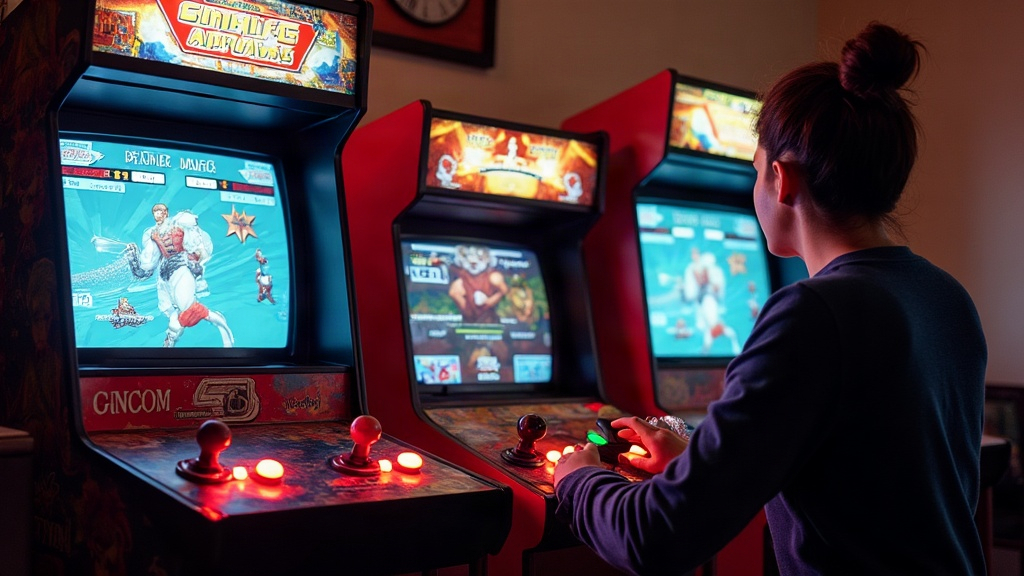
Setting up a Sega NAOMI netboot rig for Capcom vs SNK 2 lets you run this legendary fighting game on genuine arcade hardware, no GD-ROM burning, no hunting down an original cart at inflated prices. Instead, the NAOMI motherboard pulls the game data straight over a local network from a small server (often just a Raspberry Pi). That gives you instant game-swapping, zero disc wear, and a setup that mirrors how real arcades ran multi-game NAOMI cabinets back in the 2000s.
Why Netboot Instead of GD-ROM or Cartridge?
Capcom vs SNK 2 originally shipped on GD-ROM for NAOMI, and those discs (along with the drives that read them) are aging badly. Netbooting fixes several actual problems:
- No moving parts to fail. GD-ROM drives, the Mode 2/Mode 3 units, are notorious for belt and laser issues after two decades of use.
- Instant game switching. Swap ROMs on the server, reboot the NAOMI, done. No disc swap, no opening the case.
- Preservation-friendly. Your original disc or cart stays untouched while you play from a verified image.
- Cheap entry point. A NAOMI motherboard plus a $35 Raspberry Pi server costs a fraction of what an original CvS2 cart goes for on the collector market these days.
What You Actually Need
Before wiring anything up, gather:
- A working Sega NAOMI motherboard (Rev 1 or later) with known-good RAM
- A NAOMI BIOS (the stock multi-game “coin” BIOS, not a single-game GD-ROM BIOS; netboot needs the version that actually shows the network boot screen)
- A netboot-capable region BIOS/security dongle, if your particular BIOS revision requires one
- A Raspberry Pi (3B+ or 4) or a PC running the netboot server software (usually derived from the “naomi-netboot” / ElSemi-style server, or the popular “netboot-rpi” image)
- An Ethernet crossover setup or switch linking the NAOMI’s network port directly to the server
- A JVS I/O board compatible with your cabinet’s controls, plus a proper JAMMA/NAOMI power supply
- The CvS2 netboot image (.bin/.lst pair, prepared for netboot and checksummed correctly)
Step-by-Step Setup
1. Prepare the Netboot Server
Flash the netboot server image onto an SD card, or install the netboot daemon on a Linux PC, whichever route you prefer. Drop your Capcom vs SNK 2 ROM set (converted to the netboot .bin format with its matching .lst manifest) into the server’s game folder. Most server builds give you a simple text menu or a config file where you list which titles are available.
2. Wire the Network Connection
Connect the NAOMI’s Ethernet port directly to the server using a standard Ethernet cable (modern NICs auto-sense, so you usually don’t even need a crossover cable anymore). Keep this connection closed and isolated. The NAOMI runs its own simple boot protocol, not a typical DHCP/router setup, so there’s no reason to plug it into your home network, and doing so can actually cause conflicts.
3. Power Up in the Correct Order
Power on the netboot server first, and confirm it’s actually listening (most server software prints something like “waiting for NAOMI” to the console). Only then power on the NAOMI motherboard. With a proper BIOS installed, you’ll see a “Now Loading…” network boot screen instead of the usual GD-ROM error.
4. Select and Boot Capcom vs SNK 2
Depending on your server software, it will either auto-boot a single configured title or present a menu (on-screen or host-side) where you pick CvS2 specifically. The transfer itself takes anywhere from a few seconds to under a minute, depending on image size and network speed.
5. Verify Inputs and Region
CvS2 netboot images are usually region-locked (Japan/USA/Export), so check that first. Make sure your JVS I/O board and control panel mapping match a 4-button or 6-button fighting game layout, and confirm your region setting lines up with your coin/credit expectations too.
Common Problems and Fixes
- Stuck on “Now Loading” forever: Usually a bad Ethernet connection, the wrong BIOS version, or a mismatched .bin/.lst checksum.
- Game boots but inputs don’t register: Check your JVS I/O board’s JAMMA pinout against what NAOMI expects. CvS2 needs six action buttons per player, not four.
- Random reboots mid-match: Often a power supply sag issue rather than anything netboot-related. NAOMI is picky about clean, stable 5V/12V rails.
- Black screen after the boot logo: Usually a GPU/RAM seating problem on the motherboard itself, unrelated to netboot entirely.
Is This Legal and Is It Safe for the Hardware?
Running netboot images assumes you own the hardware or have legally dumped the original GD-ROM/cart data yourself. This whole practice grew out of the preservation community, specifically to stop people from wearing down fragile original media just to play the game. As for the hardware itself, netbooting puts no more stress on the NAOMI than any other boot method. If anything, it reduces wear since you’re skipping the optical drive entirely.
Conclusion
A Sega NAOMI netboot rig turns Capcom vs SNK 2 into something close to plug-and-play: boot the server, power the board, and you’re at the character select screen in under a minute, no fragile GD-ROM drive involved at any point. Get the right BIOS, a properly prepared netboot image, and solid JVS wiring sorted out, and you end up with arcade-perfect gameplay while actually protecting your original hardware for years to come.