Fixing Region-Locked Neo Geo Pocket Color Boot Carts
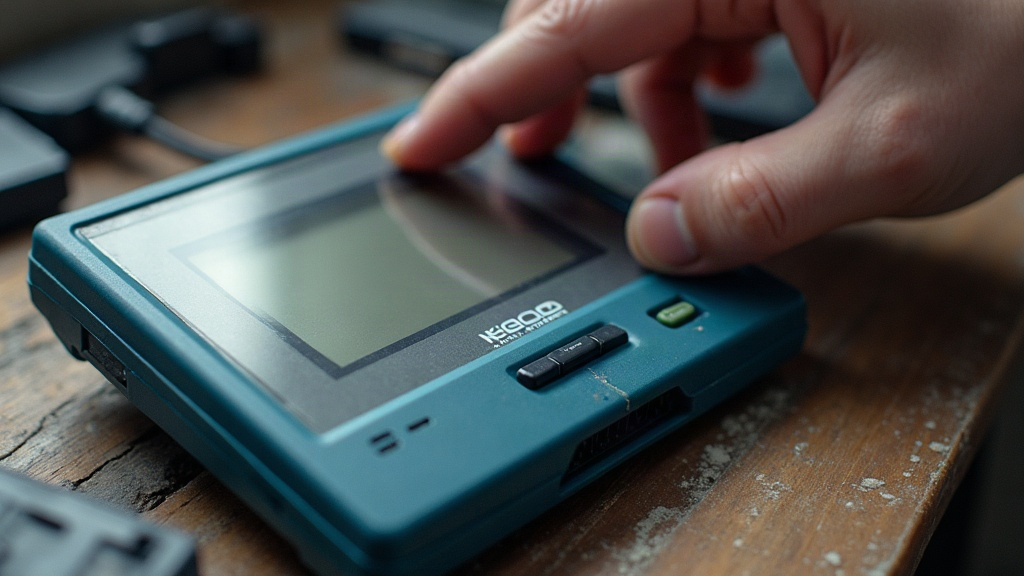
If your Neo Geo Pocket Color boot cart refuses to start (black screen, a boot logo that loops forever, or a drop straight to the system menu), the problem is almost never an actual region lock. The NGPC has no lockout chip, and retail cartridges are fully region-free. What people call a “region-locked boot cart” is usually a header, BIOS, power, or media issue wearing a disguise. This guide walks through the real causes in order of likelihood, so you can get your flash cart or homebrew launcher running again.
Why a “Region Lock” Is Usually a Misdiagnosis
SNK built the Neo Geo Pocket Color to not care where a game came from. There’s no CIC-style security chip anywhere in it, and Japanese, North American, and European cartridges all boot fine on any hardware you throw at them. The only region-tied differences are cosmetic: BIOS language, boot logo, and the wording in the system menu.
So when a boot cart (a flash cartridge, multi-cart, or homebrew launcher like the Neo Pocket Game Drive or a Flash Masta) fails to start, the culprit is one of a handful of well-known failure points, not a lock. Boot carts replace the normal cartridge header and boot path, which makes them noticeably more sensitive than a retail game to everything listed below.
Quick Symptom Checklist
Before you crack open the shell, match your symptom to the likely cause:
- Blank screen, no sound, no power LED — power delivery or dead batteries.
- Screen lights but stays stuck on the boot logo — cartridge not being detected; clean contacts and reseat.
- Drops to the system settings menu instead of booting — missing or corrupt ROM header; BIOS failed its license-string check.
- Boots sometimes, crashes or resets mid-game — weak power, a marginal SD card, or unstable flash cart firmware.
- “No files found” or an empty list on the cart menu — SD card format or file placement problem.
Fix 1: Eliminate Power Problems First
The NGPC is famously picky about power, and a starved unit looks exactly like a dead cart, right down to the symptoms.
- Use fresh 1.5 V alkaline AA batteries, not tired rechargeables. A lot of units boot unreliably on 1.2 V NiMH cells, even ones that still show plenty of “charge” on a tester.
- Check the AC adapter if you’re using one: the NGPC wants 3 V DC. A wrong or under-amped adapter causes brownouts that reset flash carts mid-boot, which can look identical to a corrupted ROM.
- Inspect the battery contacts for corrosion and gently bend the tabs inward for a firmer grip.
Quick test: boot a known-good retail cartridge. If that also fails, the console’s power path, not the boot cart, is your problem.
Fix 2: Clean the Cartridge Contacts and Reseat
Flash carts have slightly different edge-connector tolerances than original carts, so a marginal connection is more common than you’d think.
- Clean the cartridge edge contacts with a cotton swab dampened in 91% isopropyl alcohol, then follow with a dry swab. For stubborn oxidation, a soft pencil eraser does the trick.
- Clean the console slot itself with a thin, IPA-moistened card wrapped in a lint-free cloth.
- Insert the cart firmly and reseat it two or three times. Flash carts sometimes need a second insertion before they seat fully, for whatever reason.
Fix 3: Check the SD Card and File System
SD-based boot carts (the Neo Pocket Game Drive being the best-known example) fail most often at the media layer, not the electronics.
- Reformat the card as FAT32 with a standard allocation size. exFAT and NTFS are not supported, full stop.
- Use a known-good, brand-name card of 32 GB or smaller. Oversized or off-brand cheap cards are a frequent source of boot failures, especially the no-name ones sold in bulk online.
- Place ROMs in the cart’s correct root folder and use short, plain filenames without special characters.
- Verify your ROMs are clean .ngp/.ngpc/.npc dumps; a corrupted archive will hang the menu instead of erroring out cleanly.
Fix 4: Verify the ROM Header and BIOS Version
This is where the “region lock” myth really comes from. The NGPC BIOS runs a license-string check: it looks for LICENSED BY SNK CORPORATION in the cartridge header before it’ll boot anything. If that header is missing, damaged, or malformed (common with homebrew, hacks, and bad dumps), the console refuses to boot and drops back to the system menu. To a lot of people, that looks exactly like a lockout.
- Run the ROM through a header-fixing tool or re-dump from a verified source so the license string and system byte are intact.
- Note that some BIOS revisions behave differently with flash carts; if your cart’s firmware lets you patch or skip the BIOS check, turn that option on.
- Keep the boot cart’s own firmware updated. Vendors routinely ship fixes for compatibility with new ROM dumps and BIOS quirks, and skipping an update is a common reason for otherwise-fine carts to stop booting after a “known good” ROM refresh.
When It Still Won’t Boot
If every step above checks out, isolate the variables one at a time: try the boot cart on a second console, try a different SD card, and try a retail cart on the same console. That three-way swap tells you almost instantly whether the fault lives in the cart, the media, or the hardware itself.
Conclusion
A “region-locked” Neo Geo Pocket Color boot cart is, in practice, a hardware or media problem wearing a misleading label. The NGPC is region-free, full stop, and boot carts fail for concrete, fixable reasons: weak power, dirty contacts, an unsupported SD card, a broken ROM header, or outdated firmware. Work through the checklist in order, and the vast majority of dead boot carts come back to life without any hardware modification at all.