Fixing Audio Hum on a Sega Mega Drive Model 1 Headphone Jack
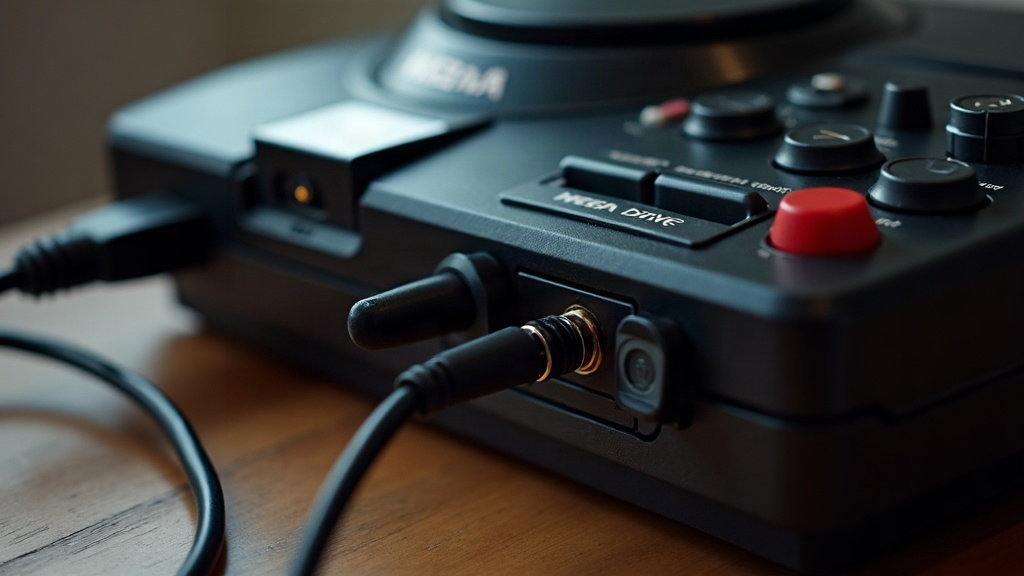
That low, steady buzz coming out of your Sega Mega Drive Model 1’s headphone jack is almost always a ground loop or a shielding problem, not a dying chip. And the good news: in most cases you can fix it without touching a soldering iron. Below are the real causes, in order from easiest fix to most involved.
Why the Model 1 Hums in the First Place
The original Mega Drive (Model 1) has a genuinely noisy analog audio stage, it’s kind of infamous for it. Unlike the Model 2, which routes audio more cleanly, the Model 1’s headphone jack sits right next to the RF modulator and shares ground paths with the power supply circuitry. That layout makes it sensitive to a handful of things:
- Ground loops between the console, TV, amplifier, and headphone jack
- Unshielded or cheap third-party AC adapters
- RF modulator interference bleeding into the audio line
- Worn or oxidized headphone jack contacts
- Poor quality AV cables without proper shielding
A 50Hz or 60Hz hum (matching your region’s mains frequency) points to a ground loop or bad power supply filtering, plain and simple. A higher-pitched whine that shifts with on-screen action, on the other hand, is usually RF or digital noise leaking into the audio path. That’s not a jack problem at all, so don’t waste time cleaning contacts if this is what you’re hearing.
Step 1: Test With a Different Power Supply
This fixes it more often than anything else on this list. The Mega Drive’s stock AC adapter, and a lot of the third-party replacements sold today, provide weak DC filtering, and that ripple gets injected straight into the audio ground.
- Try a known-good, regulated 9V DC adapter rated for at least 1A.
- Confirm center polarity matches the console (usually center-negative on Sega consoles, double check before plugging anything in).
- If the hum disappears, congratulations, your original adapter was the culprit all along.
Step 2: Break the Ground Loop
If the hum only shows up when the console is hooked to both a TV/amp and headphones or powered speakers plugged into the headphone jack, you’re almost certainly dealing with a ground loop between two grounded devices.
- Grab a cheap in-line ground loop isolator and put it on the headphone output.
- Avoid running RF/composite video and headphone audio to two separately grounded devices at the same time (TV plus a separate amp, for example).
- Using a powered speaker system? Plug both the console adapter and the speakers into the same power strip. Different circuits can sit at different ground potentials, and that mismatch is exactly what causes the buzz.
Step 3: Inspect and Clean the Headphone Jack
Oxidation and dust on the 3.5mm jack contacts show up as a scratchy hum or an intermittent buzz that comes and goes.
- Spray a small amount of electrical contact cleaner into the jack.
- Insert and remove a headphone plug 10-15 times to physically wipe the contacts clean.
- Wiggle-test it: if the hum changes when you nudge the plug, the jack itself needs replacing or a fresh solder joint.
Step 4: Check the RF Modulator Shielding
On a lot of Model 1 units, the internal RF modulator shield isn’t fully grounded, sometimes due to age, sometimes because a screw went missing at some point over the last three decades.
- Open the console and check that the metal RF shield is screwed down properly and actually making contact with the board’s ground plane.
- Reflow any solder joints around the RF modulator that look dull, cracked, or grainy. Cold joints here are a well-known noise source.
- Some hobbyists just pull the RF modulator out entirely if they’re not using RF or coax output. Even unused, it can still be a major contributor to the noise floor.
Step 5: Use a Shielded Audio Cable
Feeding the headphone jack into an amp or a capture device? Swap in a shielded, low-capacitance audio cable. Cheap unshielded 3.5mm cables basically act like little antennas, picking up the console’s internal switching noise and carrying it right along with your audio.
When It’s a Capacitor Problem
Still hearing hum after all of that? The aging electrolytic capacitors in the audio output stage might be leaking or drifting out of spec. This gets more likely the older and more unmodified your console is (we’re talking 30+ years since manufacture at this point). A capacitor “recap” of the audio section, whether you send it to a repair tech or do it yourself if you’re comfortable soldering, often clears up hum that no cable swap or ground fix will ever touch.
Quick Troubleshooting Checklist
- Swap the power adapter first, it’s the cheapest and fastest test you can run
- Isolate grounds between TV, amp, and console
- Clean the headphone jack contacts
- Verify RF shield grounding inside the case
- Use shielded cables
- Consider a recap if the console is unmodified and old
Conclusion
Audio hum on a Mega Drive Model 1 headphone jack almost never means your console is failing. It’s a grounding, cabling, or power supply issue, and nine times out of ten it’s fixable at home with things you already have or can buy for a few dollars. Start with the power adapter swap and a ground loop isolator, since those two steps alone resolve most cases people run into. From there, work down to jack cleaning and the internal shielding check if the buzz sticks around. Save the capacitor recap for last, once you’ve genuinely ruled out every simpler external cause.